Salesforce Event Attendee Reporting Made Easy with RavenApps Grids

Written by
Peter Gascoyne
March 26, 2026

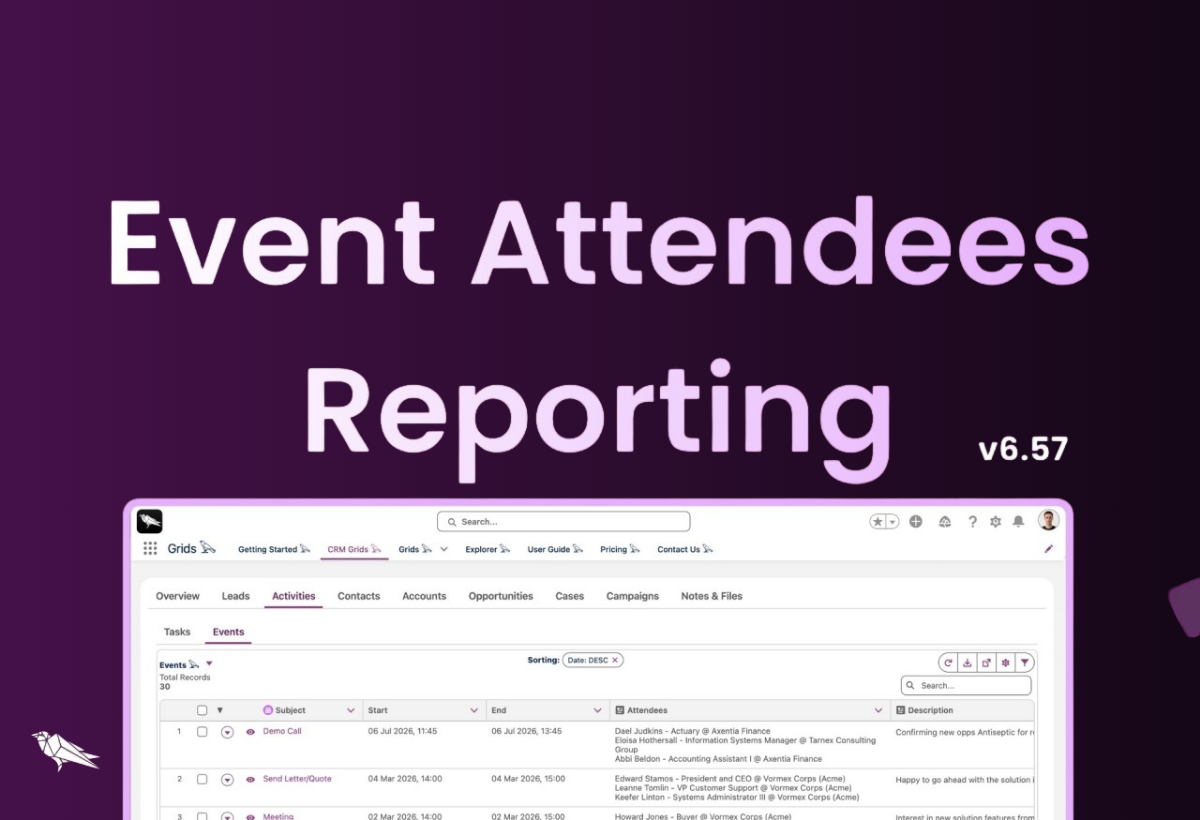
Salesforce’s native inline editing features have improved, but so have user expectations.
Summary
Have you ever wanted a simpler way to view or report on events with attendees in Salesforce, with better visibility?
Driven by our customer feedback and requests on the Salesforce IdeaExchange, we set out to improve the experience.
With the introduction of nested queries support, a new related list column type, and enhanced download capabilities, our updated Events 𓅂 grid delivers greater visibility and makes it easier to work with your event data.
Download
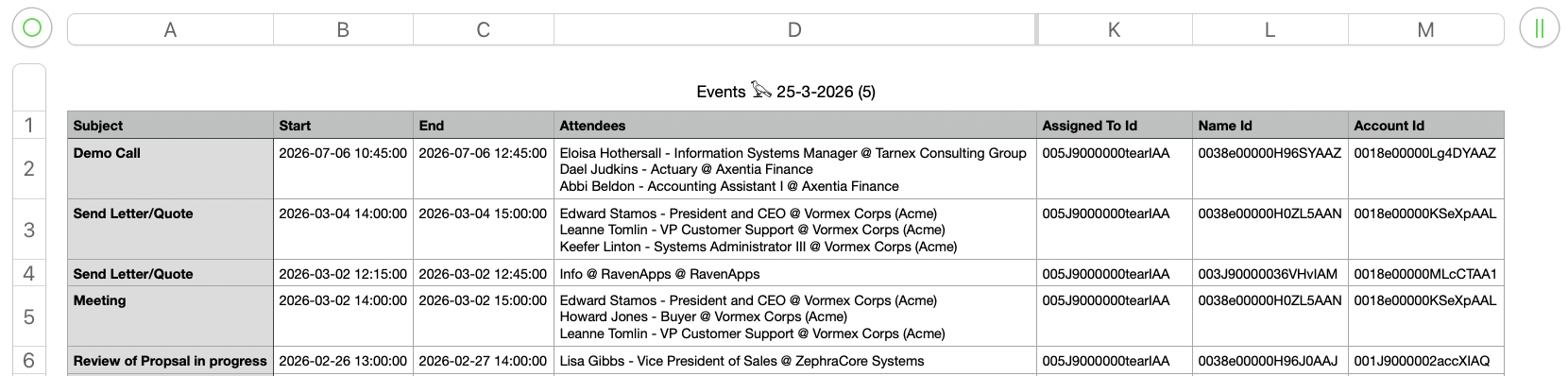
Improved download experience. Exports now default to the columns you see in the grid rather than the underlying query, making them much more intuitive and aligned with your reporting needs.
Lookup ID columns are still included, but are now neatly appended to the end, so they don’t clutter your main dataset.
Nestled Query
The Events𓅂 grid -> Query, now supports the EventRelation child object nested query:
SELECT Subject, Description, Owner.Name, StartDateTime, EndDateTime, Who.Name, Account.Name, What.Name, What.Type,
 (SELECT Id, TYPEOF Relation
  WHEN Contact THEN Name, Title, Account.Name
  WHEN Lead THEN Name, Title, Company
  WHEN User THEN Name, Title, CompanyName
 END FROM EventRelations
 WHERE Relation.Type IN ('Contact','Lead','User'))
FROM Event WHERE (IsChild = false)
Related List Column Definition
Here is the definition for the Attendees column using the new ra_relatedList column type:
{"label": "Attendees", "fieldName": "record.EventRelations", "value": "EventRelations", "type": "ra_relatedList", "sortable": false, "wrapText": "true","initialWidth": 455, "editable": false, "iconName": "utility:description",
  "typeAttributes": { "type": "EventRelation" }
}
Useful Links
- Install or Upgrade to the Latest Version
- Book a Call
- AppExchange Listing & Reviews
- User Guide
- Website
- RavenApps YouTube
Coming Soon
Excel Copy Paste into a Grid. Driven by Campaign Members Use Cases, where a customer sends a list of event attendees in a spreadsheet, and users need to copy-paste the list and save it into Salesforce quickly.
Other Related Notes
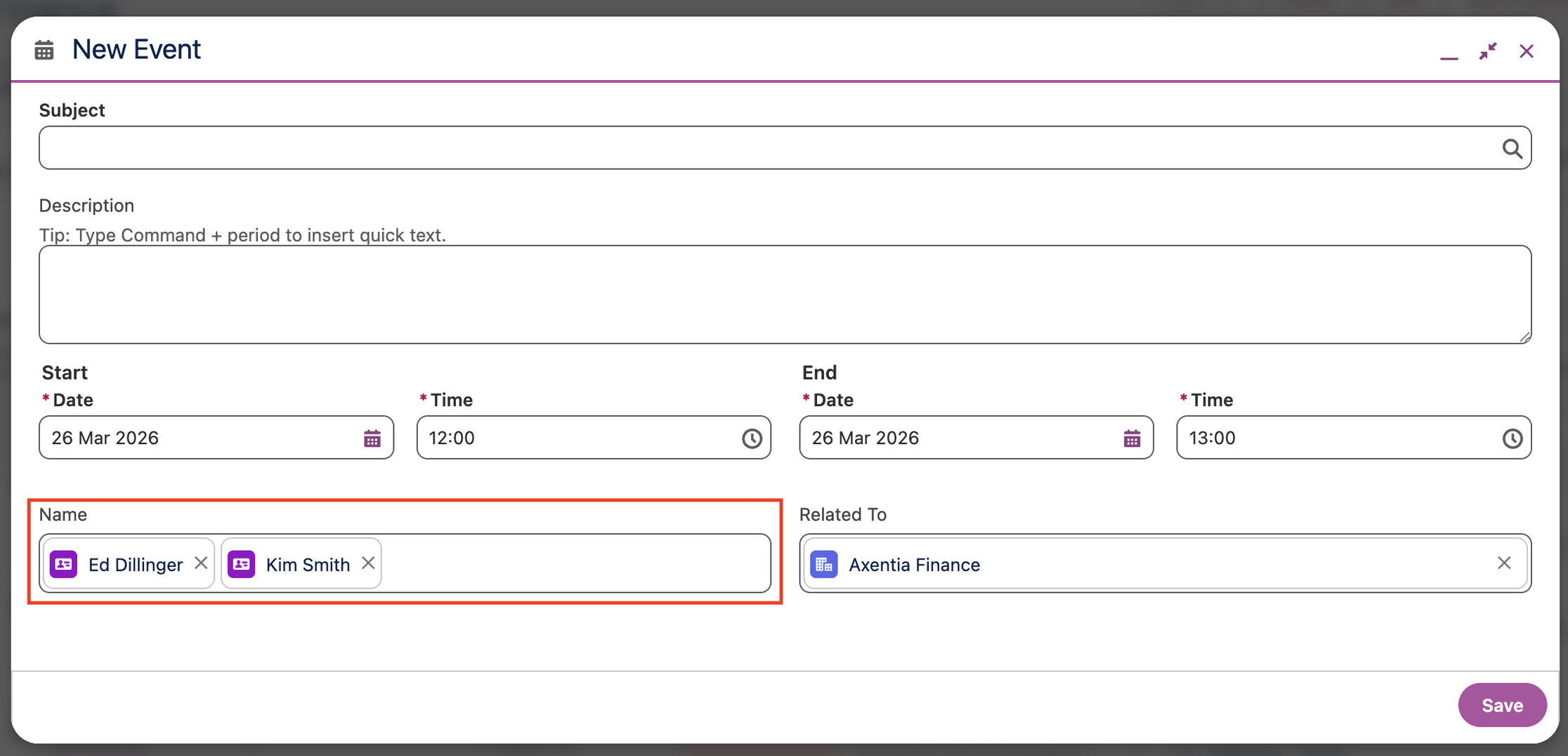
Salesforce Setup to allow users to relate multiple contacts to events and tasks
Enable Shared Activities - (Setup -> Activity Settings -> Select Allow users to relate multiple contacts to events and tasks -> Submit)
With shared activities, users can relate up to 50 contacts (but only 1 lead) to an event or a task.
To show related contacts on event and task detail pages, ensure that the Name related list is included on event and task page layouts. The items in the Name related list aren’t fields, so they don’t adhere to field-level security settings.
Important: Saving this setting may take several minutes after you click Submit, and the entire process to enable this feature can take up to 48 hours to complete, especially if your organisation has a high volume of activities. This process may automatically clean up data integrity issues. You cannot reverse or interrupt this process after it starts, but you can check its status here until the feature is fully enabled.
Things to Know About Activities
Thank You
Thanks for reading. Get in touch about any questions, leave a comment, book a Call, or Message Us direct.


40+ features to power up your workflows


Start working smarter in Salesforce