

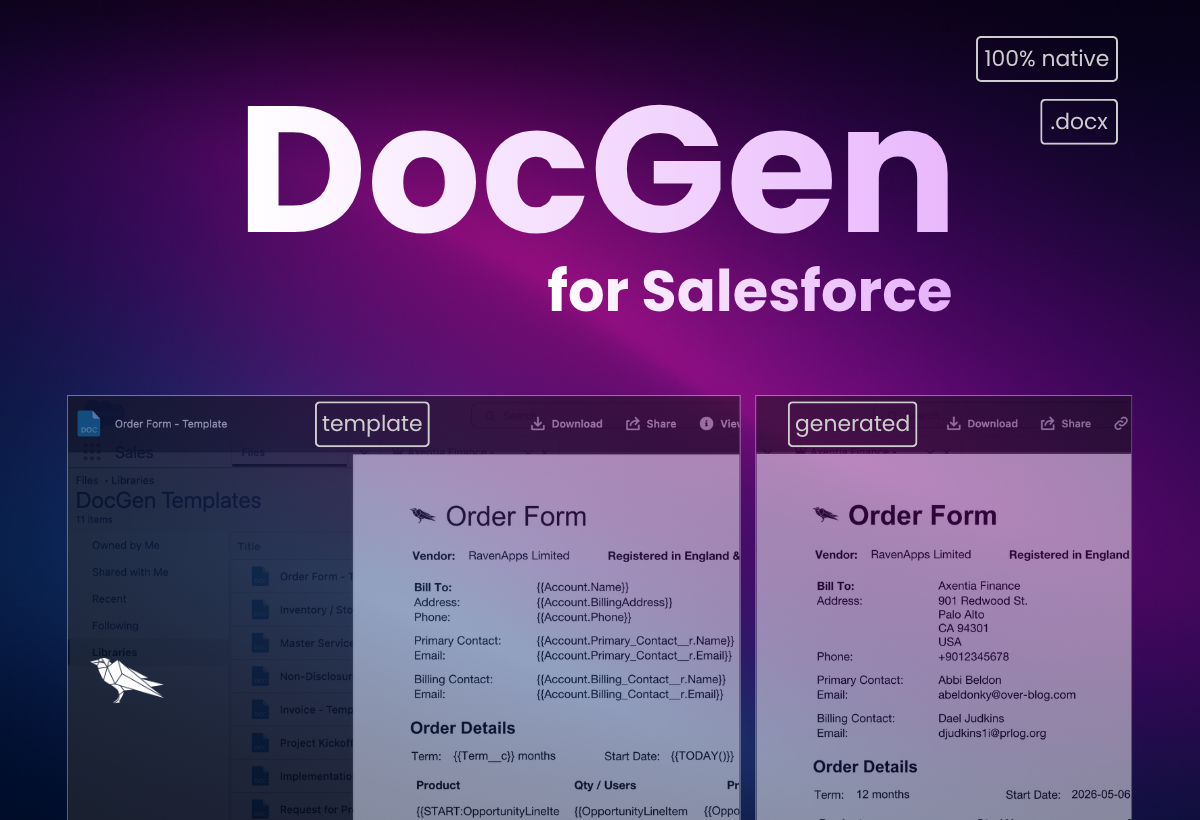
We built DocGen to solve a problem we kept hitting ourselves and and one a few customers had flagged too. We were manually copying Salesforce Salesforce data into Order Forms and other outbound documents.
Go Light. Fast. Native.
Why DocGen?
We built DocGen to solve a problem we kept hitting ourselves and and one a few customers had flagged too.
We were manually copying Salesforce Salesforce data into Order Forms and other outbound documents.
We wanted a quick, internal solution to streamline this process, allowing easy generation of .docx files that can still be modified.
So, we built a lightweight, fast, and native Salesforce capability for this. No Custom Objects. No Heavy Integration. No Additional Package to install.
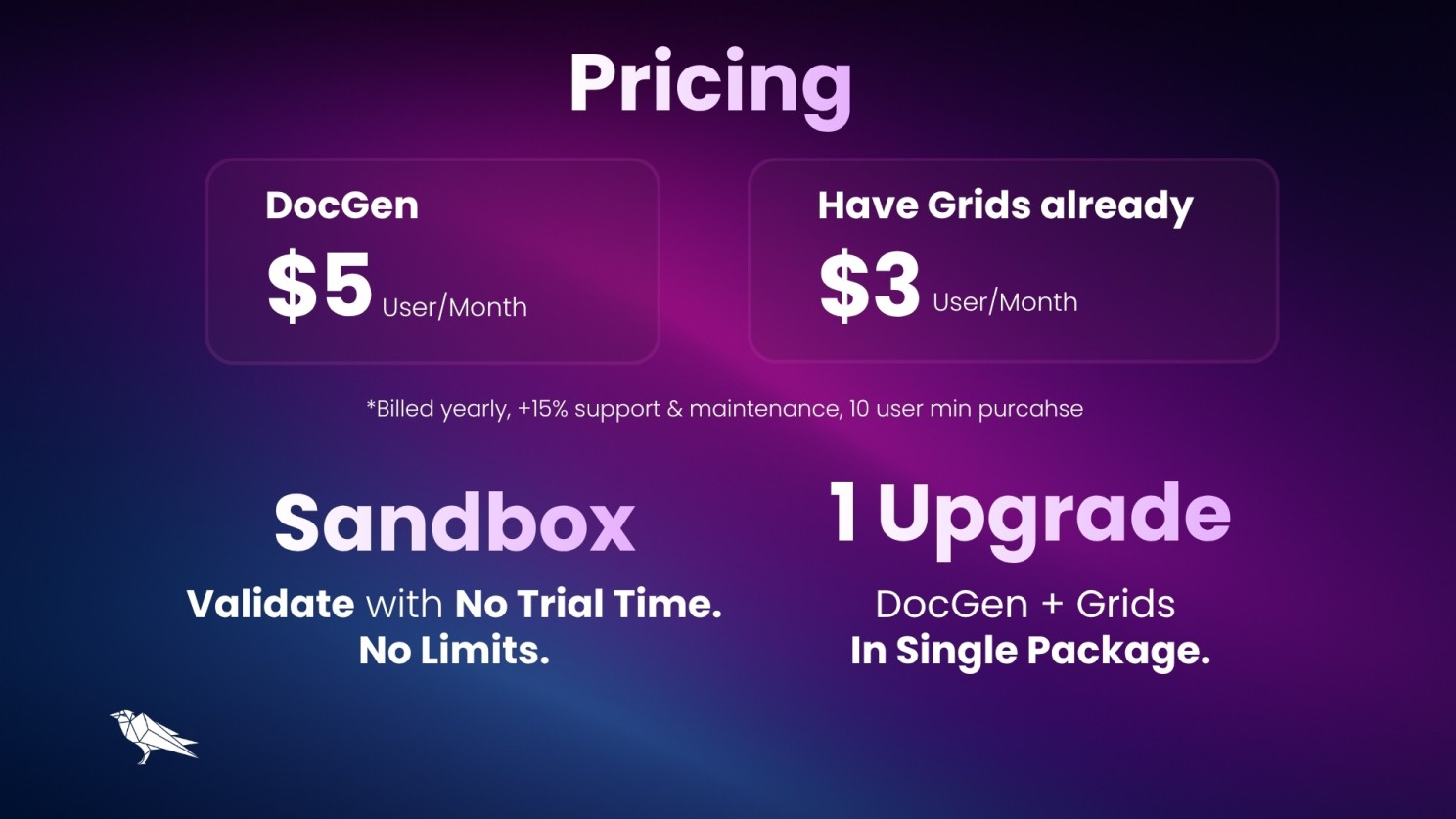
We remain committed to Grids and improving the dynamic, customisable and powerful solution, while exploring new capabilities with goal of a Single-Install-Upgrade Package across the suite.
Have a use case in mind? Contact Us for a demo or a chat.
What DocGen does
- Uses existing Salesforce Files for both templates and generated documents that is stored against the record
- Generates .docx files — easier to edit than PDFs (e.g. updating T&Cs on the fly). PDF support coming soon
- One Click -> Save to Record -> Open Up
- Works on Mobile
- Simple set-up and easy to add to record pages (e.g. Opportunity, Quote)
-
How to Get Started
- Install or Upgrade via our AppExchange Listing or Package Version Page
- Create docx. template or use our Sample Order Form Template
- Upload it to Files and copy the File ID from the URL
- In Lightning App Builder, add the DocGen Button component to the page.
- Fill in details: Template File ID, SOQL Query (sample below)
- Save and try out.
Sample Query (Opportunity with Products)
SELECT CurrencyIsoCode, Amount, Account.Name, Account.Phone,
Account.BillingAddress,
(SELECT CurrencyIsoCode, Product2.Name, Quantity, TotalPrice FROM OpportunityLineItems)
FROM Opportunity
Useful Links
Thank You
Thanks for reading, and please leave questions and comments below or Contact Us.


40+ features to power up your workflows


Start working smarter in Salesforce